As modern software development continues to shift toward remote and distributed work models, teams require secure, scalable, and high-performance development environments that support collaboration without friction.
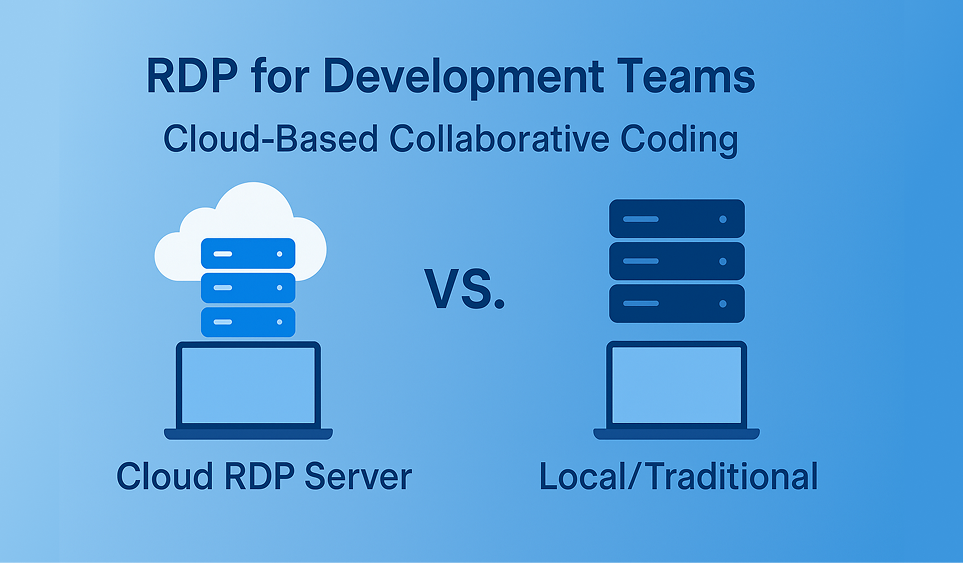
As modern software development continues to shift toward remote and distributed work models, teams require secure, scalable, and high-performance development environments that support collaboration without friction. Traditional local development setups often introduce challenges such as inconsistent configurations, hardware limitations, and security risks.
This is where RDP for development teams becomes a powerful solution. By leveraging Remote Desktop Protocol (RDP) servers, teams can create centralized, cloud-based coding environments that deliver enterprise-level performance, security, and accessibility.
In this guide, we’ll explore how RDP-based development environments work, their technical and business advantages, and why companies are increasingly adopting PCRDP RDP solutions for collaborative software development.
Remote Desktop Protocol (RDP) enables developers to remotely access a centralized server and work within a full desktop environment. Instead of relying on local machines, developers connect to a remote RDP server for coding, testing, and deployment.
For development teams, this approach delivers:
Using remote desktop for developers ensures consistent results across teams and eliminates environment-related conflicts.
Different operating systems, library versions, and SDK configurations often cause integration issues and deployment failures. An RDP development server ensures all developers work in the same environment with identical tools and dependencies.
Local machines may struggle with resource-intensive tasks such as compiling large applications, running Docker containers, or testing mobile apps.
A high-performance RDP VPS for developers provides enterprise-grade CPU, RAM, and SSD storage—ensuring smooth and reliable performance regardless of the developer’s local device.
Storing proprietary code and credentials on personal machines increases the risk of data leakage.
With secure RDP for coding, all sensitive assets remain within a protected server environment, improving compliance and reducing exposure.
New team members often lose valuable time setting up their development environments.
Using RDP for collaborative coding, developers gain instant access to preconfigured environments, dramatically reducing onboarding time.
All development tools—IDEs, compilers, databases, frameworks—are installed on the RDP server. This ensures consistency and reduces setup errors.
Multiple developers can access shared RDP environments to debug issues, test features, and collaborate efficiently.
By eliminating environment-related delays, teams accelerate development, testing, and deployment timelines.
RDP-based development environments support global teams, freelancers, and hybrid workforces without sacrificing performance.
Development workloads demand reliable infrastructure. RDP servers with multi-core CPUs, high memory allocation, and SSD storage deliver fast build times and responsive workflows.
Git repositories and CI/CD tools can be hosted directly on the RDP server, enabling secure access and simplified repository management.
Server resources can be scaled dynamically based on team size and workload, making RDP VPS hosting for developers highly cost-effective.
Instead of managing multiple local machines, teams maintain a centralized remote development environment.
Select an RDP server for software development with specifications aligned to your workload:
PCRDP RDP services offer development-ready configurations designed for professional teams.
Install required tools such as:
This creates a consistent remote coding environment for all developers.
Configure Git repositories and access control directly on the RDP server using SSH authentication and role-based permissions.
This approach enhances secure remote development while maintaining workflow efficiency.
A production-grade development RDP environment should include:
PCRDP’s infrastructure supports secure RDP hosting for sensitive development projects.
Monitor server usage, allocate resources efficiently, and minimize unnecessary background services to maintain a smooth RDP experience.
RDP is ideal for:
PCRDP provides reliable RDP VPS hosting optimized for development and professional use. Key benefits include:
Whether you’re building web applications, mobile apps, or enterprise systems, PCRDP RDP solutions deliver the speed, security, and flexibility modern teams require.
Using RDP for development teams is no longer just a convenience—it’s a strategic advantage. By centralizing development environments, improving security, and enabling seamless collaboration, RDP empowers teams to deliver software faster and more efficiently.
If you’re looking to modernize your development workflow, PCRDP’s high-performance RDP servers provide the ideal foundation for secure and scalable collaborative coding.